

NEWS

Successful virtual events require more than a stable internet connection and a streaming platform. This guide explains the essential elements of virtual event production, outlines the complete production process, and provides practical tips to help businesses deliver professional online events.
Virtual event production is the process of planning, creating, managing, and delivering an event through digital platforms, allowing audiences to participate remotely rather than attending a physical venue.
Unlike a regular online meeting, a professionally produced virtual event often involves a structured program, multiple speakers, branded visual content, audiovisual equipment, and a dedicated technical team. The production process brings these elements together to create a consistent experience for online attendees.
Virtual event production is commonly used for corporate conferences, product launches, industry summits, award ceremonies, training programs, and live-streamed business events. Depending on the event's objectives, the production may take place in a professional studio, a corporate office, or a physical venue equipped for online broadcasting.
The main purpose of virtual event production is not simply to broadcast an event. It is to create an organized, engaging, and reliable experience that helps businesses communicate their messages effectively.
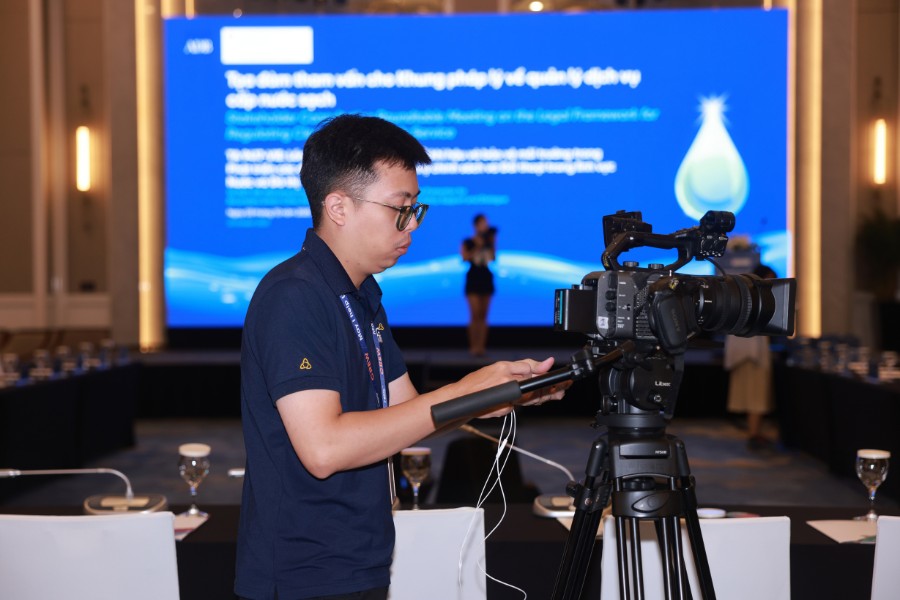
Professional virtual event production involves several connected components. Each one contributes to the quality of the program and the experience of remote participants.
A clear event concept provides the foundation for the entire production process. Before selecting equipment or designing the virtual stage, organizers need to understand the event's purpose, target audience, and main message.
Once the concept is established, the production team develops a detailed event script that defines the sequence of activities, speaker responsibilities, presentation materials, and technical requirements.
The script should identify when each video plays, which speaker appears on screen, when presentation slides change, and how the program moves between different segments.
Content development may also include opening videos, speaker introductions, product demonstrations, branded animations, and closing messages. These materials should support the event's objectives rather than distract viewers with unnecessary visual effects.
A well-prepared concept and script help creative, technical, and operational teams work toward the same production goals.
The virtual event platform determines how attendees access the program and interact with its content. The streaming setup, meanwhile, controls how video and audio are delivered from the production location to online viewers.
Businesses may use platforms such as Zoom, Microsoft Teams, YouTube Live, or specialized virtual event solutions, depending on the audience size and event requirements.
The technical team should evaluate platform capabilities such as participant limits, streaming quality, audience interaction, recording options, access controls, and compatibility with external production equipment.
A typical professional setup may include cameras and microphones connected to an audio mixer and video switcher. The combined program feed is then sent through a streaming encoder to the selected online platform.
Before the event, the team must test the entire streaming workflow, including internet stability, video resolution, audio synchronization, and backup connections.
Selecting the right platform and configuring the broadcast correctly helps reduce technical interruptions during the live program.
Audiovisual quality strongly influences how professional a virtual event appears to its audience. Even valuable content can be difficult to follow when viewers experience unclear audio, poor camera framing, or inconsistent lighting.
Audio production begins with choosing suitable microphones for presenters, moderators, and performers. The technical team must balance voice levels, control background noise, and prevent unwanted feedback.
For programs with multiple speakers, an audio mixer allows technicians to manage individual microphone channels and maintain consistent sound throughout the broadcast.
Video production involves camera placement, framing, switching, and monitoring. A corporate presentation may require one camera focused on the speaker and another providing a wider view of the stage.
During a product demonstration, close-up cameras can help online viewers see important product details that might otherwise be missed.
Lighting production ensures presenters and products remain clearly visible on camera. Proper lighting also supports the event's visual identity and creates a professional studio environment.
The production team should test all audiovisual components together because changes in lighting, camera positions, or sound equipment can affect the final broadcast.
Digital stage design creates the visual environment that audiences see during a virtual event. Depending on the production format, this may involve a physical studio backdrop, LED screens, virtual backgrounds, or digitally generated stage environments.
The design should reflect the event's purpose and the organizer's brand identity. Corporate colors, logos, typography, and visual elements need to remain consistent across the stage and digital presentation materials.
Branded visuals can also include opening sequences, lower-third name graphics, transition animations, holding screens, and closing slides.
These elements help viewers understand who is speaking, what topic is being discussed, and when the program is moving to a new section.
However, visual effects should not overwhelm the content. The production team must consider screen readability, camera framing, and how graphics appear on different devices, including smartphones and laptops.
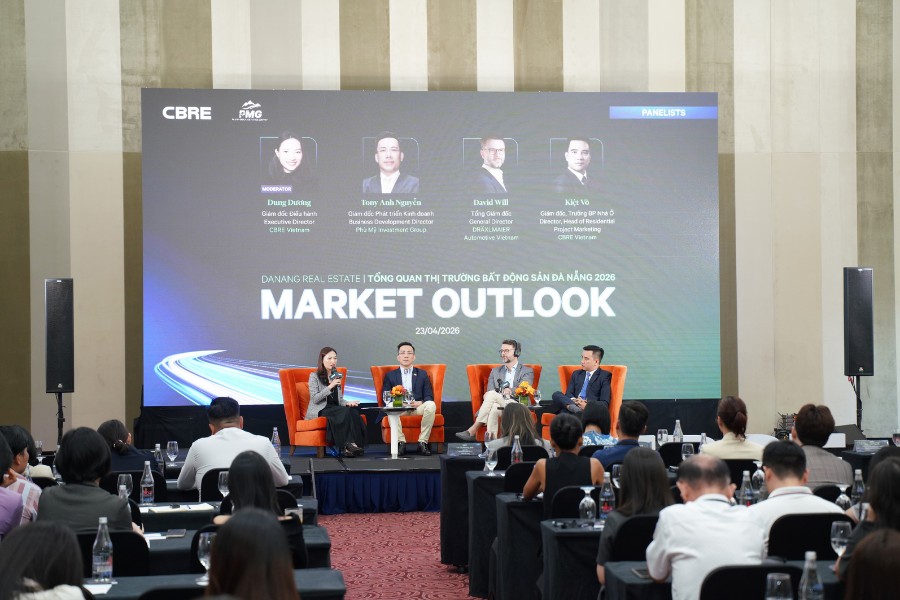
Audience engagement is an important part of virtual event production because online viewers can easily become distracted when they are not actively involved.
The production team should identify suitable interaction points during the planning stage rather than adding activities without a clear purpose.
For a virtual conference, organizers may use live Q&A sessions to connect speakers with attendees. A product launch may include polls that allow viewers to select which features they want to explore. A training event may use quizzes to check participants' understanding.
Other interaction options include moderated chat, breakout discussions, virtual networking sessions, and interactive product demonstrations.
These features require coordination between the event host, content team, platform operators, and technical crew.
The goal is to make interaction feel like a natural part of the program while maintaining control over timing and content quality.
Technical support and live coordination connect all production elements during the event. Even when the content and equipment are ready, the program still requires a team to manage transitions, monitor the broadcast, and respond to unexpected situations.
A virtual event production team may include a producer, show caller, technical director, camera operators, audio technicians, streaming operators, and audience support staff. The exact roles depend on the event's scale and complexity, and smaller productions may combine several responsibilities.
The producer oversees the overall program, while the show caller coordinates cues for speakers, videos, graphics, and transitions.
Technical operators monitor camera feeds, sound levels, streaming stability, and platform performance throughout the broadcast.
For events with remote speakers, the coordination team also checks their connections, confirms when they are ready to join, and provides instructions before they appear live.
Clear communication between team members is essential. A shared production schedule, defined responsibilities, and backup procedures help the team resolve problems without disrupting the audience experience.
A structured production process helps organizers control costs, coordinate resources, and maintain consistent quality. Most professional virtual event productions can be divided into three main stages: pre-production, live production, and post-production.
Pre-production covers all activities required before the event goes live. This stage establishes the creative direction, technical requirements, and operational plan.
The first step is to confirm the event objectives, target audience, format, expected attendance, and available budget. These details guide decisions about the platform, production location, equipment, and staffing.
Next, the organizing team develops the event concept, agenda, and detailed script. The script should describe each segment, its duration, the responsible speakers, and the required production cues.
The team then prepares the technical production plan, including:
Once the production requirements are confirmed, the team coordinates with presenters, moderators, sponsors, and other relevant parties.
Speaker briefings should explain the event schedule, presentation format, camera requirements, and procedures for joining the live broadcast.
A full technical rehearsal is particularly important for complex virtual events. During the rehearsal, the team should test the complete program sequence rather than checking individual devices separately.
This includes playing videos, switching between cameras, displaying graphics, connecting remote speakers, and practicing audience interaction.
Before the event begins, the producer should confirm that all critical equipment, personnel, and backup arrangements are ready.
The production stage begins when the event team activates the live broadcast and delivers the program to online attendees.
Before going live, technical operators complete final checks of audio levels, camera feeds, lighting, presentation files, and streaming connections. The producer also confirms that speakers and moderators are ready.
During the event, the show caller follows the production script and coordinates each transition.
For example, when the opening video ends, the technical director switches to the host's camera. As the host introduces the keynote speaker, the graphics operator displays the speaker's name and title. The presentation operator then prepares the appropriate slides.
At the same time, streaming technicians monitor the broadcast for dropped frames, audio problems, connection instability, and other technical issues.
The audience engagement team manages incoming questions, chat discussions, and interactive activities according to the event schedule.
If a remote speaker experiences connection problems, the producer may switch to a prepared video, extend the current discussion, or move temporarily to another program segment.
Throughout the live event, the production team must maintain clear internal communication and respond quickly without creating unnecessary interruptions for viewers.
Successful live production depends on both technical performance and disciplined coordination between people.
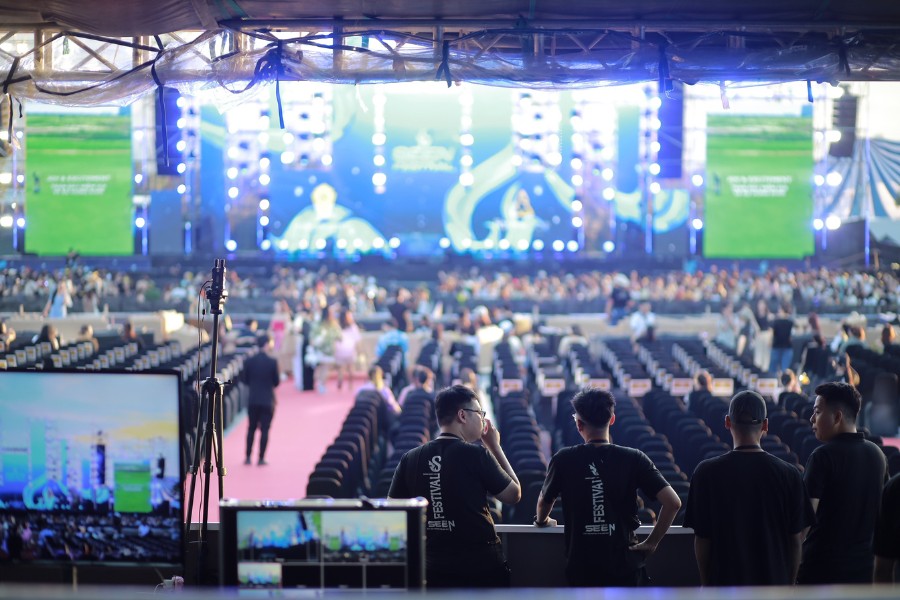
Virtual event production does not necessarily end when the live broadcast finishes. Post-production allows businesses to preserve useful content, evaluate performance, and extend the value of the event.
The first step is to collect and review the recorded materials. Depending on the production setup, these may include the final broadcast recording, individual camera feeds, presentation files, and audio recordings.
The editing team can remove unnecessary pauses, correct minor issues where possible, and create a polished recording for later viewing.
For a business conference, organizers may divide the full recording into individual sessions so attendees can find relevant presentations more easily.
A product launch may benefit from shorter highlight videos featuring the product reveal, key demonstrations, and important announcements.
Post-production can also include adding subtitles, creating promotional clips, preparing speaker highlights, and organizing approved content for distribution.
Useful indicators may include registration numbers, actual attendance, viewing duration, audience questions, poll participation, and feedback survey results.
These findings help businesses understand which parts of the program attracted attention and what should be improved for future virtual events.
Finally, the organizer should complete agreed follow-up activities, such as sharing recordings, sending presentation materials, contacting qualified leads, or distributing post-event surveys.
A well-managed post-production process turns a one-time broadcast into content that can continue supporting communication and marketing objectives.
Producing a virtual event involves several practical challenges that should be addressed before the live broadcast.
1. Build the production plan around the event's objectives. A corporate conference, product launch, and employee celebration have different communication needs. The production format, visual design, and technical resources should reflect those differences rather than follow the same template for every event.
2. Prioritize audio clarity and streaming stability. Viewers may tolerate a simple stage design, but unclear speech and repeated connection failures can make an event difficult to follow. Organizers should test microphones, monitor network performance, and prepare suitable backup options.
3. Create a detailed production script and cue list. Every speaker transition, video playback, presentation change, and audience interaction should have a defined sequence. A cue list helps the production team understand exactly when each action must occur.
4. Rehearse the complete event workflow. Testing equipment individually is not enough. A full rehearsal should simulate the actual broadcast, including presenter handovers, media playback, live interactions, and possible technical interruptions.
5. Prepare backup plans for critical production components. Depending on the event's importance and budget, backups may include an alternative internet connection, spare microphones, duplicate presentation files, and pre-recorded content. The team should also define who is authorized to make decisions during a technical incident.
6. Coordinate remote speakers carefully. Presenters joining from different locations may use different devices, internet connections, and room environments. Organizers should provide clear technical instructions, schedule connection tests, and confirm speaker availability before each live segment.
7. Consider audience access and viewing experience. The event platform should be easy to access on commonly used devices. Organizers should also consider readable graphics, appropriate audio levels, captions where feasible, and clear instructions for joining or participating.
8. Protect event content and participant information. Private business events may require registration controls, restricted meeting links, and appropriate recording permissions. The production team should follow relevant privacy requirements and avoid sharing confidential materials without authorization.
9. Define responsibilities across the production team. Creative, technical, and operational personnel need clear roles. A single production lead should coordinate the overall program and ensure that decisions are communicated consistently.
10. Evaluate production quality after the event. Reviewing technical performance, audience engagement, and feedback helps identify improvements. These findings should inform the planning of future virtual events rather than remain only in a final report.
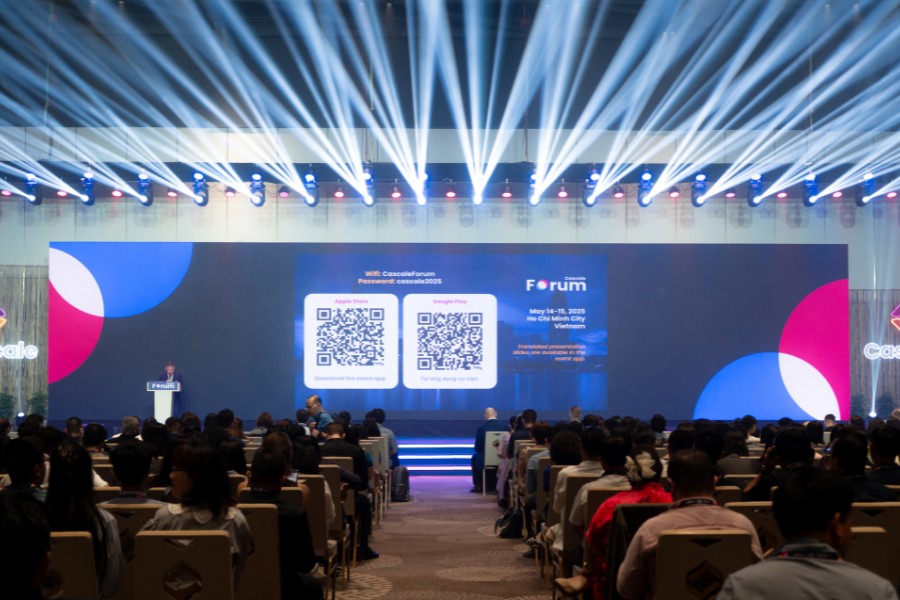
Professional virtual event production requires more than cameras, streaming software, and an online platform. A successful program depends on the coordination of creative planning, content development, audiovisual production, technical operations, and live event management.
At Event Crew, virtual event organization is approached as an integrated production process. Our team focuses on understanding each client's objectives, developing suitable event concepts, coordinating production requirements, and managing the operational details that support a professional online experience.
Planning a virtual event for your business? Contact Event Crew to discuss professional event organization and production solutions tailored to your audience, objectives, and technical requirements.
---------------------------------------------
EVENT CREW
WhatsApp/Zalo/Viber/Hotline: (+84) 939 311 911 - (+84) 913 311 911
https://eventcrew.asia/
info@hoabinh-group.com